Two-factor
Is SMS 2FA Safe? What Texts Can and Cannot Stop
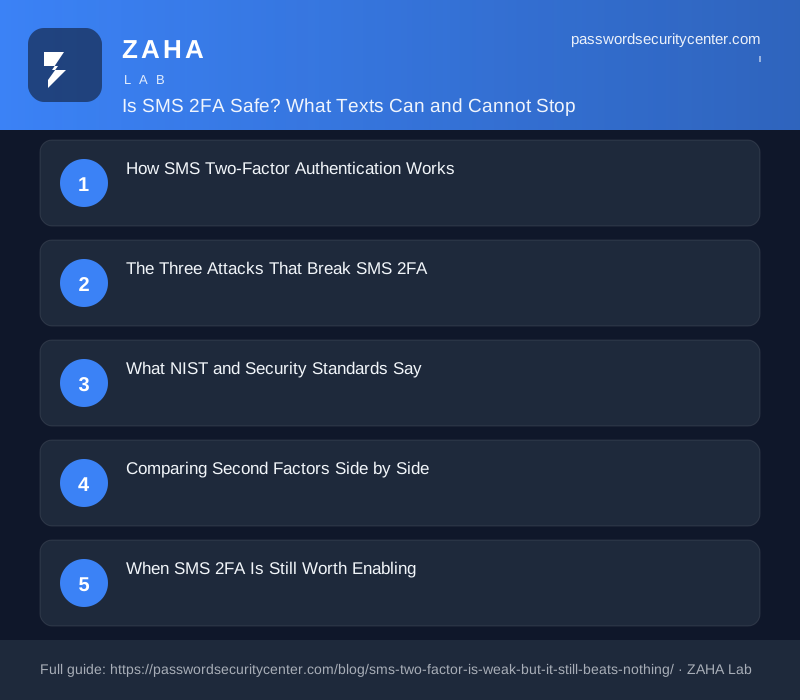
Is SMS 2FA safe? It stops automated credential stuffing cold but fails against SIM swap fraud and phishing relay attacks, which NIST SP 800-63B specifically cites in its "restricted" classification for SMS-based authentication. Keep using it where nothing stronger is available, and upgrade to a TOTP app or passkey at the first opportunity.
A SIM swap takes minutes. Is SMS 2FA safe? It stops automated bots cold but fails against a targeted attacker who can port your phone number. The attacker calls your carrier, claims they lost their phone, and your number moves to their SIM. Every code you receive now goes to them.
That scenario plays out against real people every week. But turning off SMS 2FA entirely makes most accounts significantly less safe. The nuance matters.
How SMS Two-Factor Authentication Works
The Basics
When you log in to an SMS-protected account, the server generates a short one-time password and sends it as a text to your registered number. You type the code in. If it matches, access is granted.
The code is typically six digits, expires within 10 minutes, and cannot be reused. Each login attempt generates a fresh one. That design prevents a stolen password from being enough on its own, which is exactly what credential-stuffing campaigns rely on. For a bot cycling through millions of leaked username-password pairs, a required SMS code is a hard stop.
Where the Phone Number Becomes a Liability
The phone number is the identity anchor. If an attacker controls your number, they receive your codes. That is the core weakness of SMS 2FA: it ties authentication to carrier infrastructure you do not control, verified through call-center processes you cannot audit.
A phone number also travels. You can port it to a new carrier, reassign it to a new SIM, or forward it to another device. Each of those operations creates an opening for someone to intercept control before you notice.
The Three Attacks That Break SMS 2FA
SIM Swapping
SIM swap fraud lets an attacker take over your phone number without ever touching your device. They call your mobile carrier, impersonate you using data gathered from prior breaches or social media profiles, and request a SIM transfer. Once the carrier approves it, your number routes to their handset.
Carriers have tightened their identity checks since high-profile cases drew media attention, but social engineering still works. Call-center staff face pressure to resolve issues quickly, and most carriers still rely on knowledge-based questions whose answers are often publicly available or guessable from LinkedIn and Facebook profiles.
Once the number is transferred, the attacker receives every SMS to your number: bank authorization codes, email reset links, account verification messages. The full account takeover can complete in under 10 minutes. You typically do not know until your phone loses signal or you try to make a call.
SS7 Network Interception
SS7 is the signaling protocol that routes calls and texts between telephone carriers worldwide. It was designed in 1975, before mobile internet and long before modern authentication requirements. It has no authentication between network nodes.
Security researchers have shown publicly that an attacker with SS7 network access can intercept SMS messages in transit. The attack requires telecom-grade equipment or cooperation from a rogue carrier, placing it out of reach for most criminals. It remains a real risk for journalists, politicians, executives, and anyone whose phone number is a meaningful target.
The takeaway is not panic, but clarity: the phone network was not built with authentication in mind, and SMS inherits that design.
Real-Time Phishing Relay
This attack requires no carrier access. A phishing site clones your bank or email provider down to the favicon and URL structure. You enter your password. The site relays your credentials to the legitimate service in real time, which triggers an SMS code to your phone. The fake site prompts you to enter that code. You do. The attacker has a live, authenticated session.
Relay toolkits for this attack are widely available in underground forums. The exchange takes seconds. Your SMS code may be valid for 10 minutes, but the relay completes in under 30 seconds.
Google Account Help notes that 2-Step Verification adds meaningful protection, but SMS codes are specifically more vulnerable to this relay class of attack than FIDO2-based methods. FIDO2 credentials bind to the origin URL and cannot be forwarded to a different site.
What NIST and Security Standards Say
NIST SP 800-63B, the U.S. federal guideline for digital identity and authentication, classifies the public telephone network as a "restricted" authenticator channel. The document cites SIM swap fraud, number porting attacks, and malware on the receiving device as the primary concerns.
"Restricted" in NIST terminology does not mean prohibited. It means the authenticator may continue to be used, but the organization must monitor the threat environment, offer alternatives for users at elevated risk, and limit use for high-assurance transactions where feasible.
For most consumer accounts, NIST's broader guidance is clear: any second factor is better than none. The restricted classification applies to government and enterprise systems handling sensitive data, not to a retail account or a newsletter subscription.
If your carrier sends an unexpected notification that your SIM was updated or your eSIM activated, call the carrier's fraud line immediately. Do not use SMS to log in to any account until your number is confirmed back under your control.
Comparing Second Factors Side by Side
Not all 2FA methods carry the same risk. The table below compares the most widely available options, ordered by strength.
"Phishing resistance" means the credential is bound to the exact site origin. A relay or clone site cannot trigger it, even if you have been fooled into visiting the fake page.
| Method | Stops bots | Stops phishing relay | Survives SIM swap | Typical setup |
|---|---|---|---|---|
| Password only | No | No | N/A | Instant |
| SMS OTP | Yes | No | No | 1 minute |
| Email OTP | Yes | No | No | 1 minute |
| TOTP app (RFC 6238) | Yes | No | Yes | 5 minutes |
| Hardware security key (FIDO2) | Yes | Yes | Yes | 15 minutes |
| Passkey (FIDO2) | Yes | Yes | Yes | 2 minutes |
TOTP apps generate codes locally using the algorithm defined in RFC 6238. No carrier is involved. A SIM swap cannot intercept a TOTP code because the code never travels through the phone network. The downside: TOTP has no origin binding, so a phishing relay can capture and reuse a TOTP code exactly as it does an SMS code.
Passkeys, as defined by the FIDO Alliance, are the strongest option available to most consumers today. They use public-key cryptography, store the private key in your device's secure enclave, and bind each credential to the exact site URL. A phishing clone cannot receive a passkey because the origin does not match.
When SMS 2FA Is Still Worth Enabling
SMS 2FA does not protect against every attack. What it does protect against, automated credential stuffing at scale, accounts for the majority of account compromises that ordinary users face.
The Verizon Data Breach Investigations Report consistently identifies automated credential stuffing and password spray attacks as the dominant method of account compromise by volume. These campaigns cycle stolen credentials through millions of accounts simultaneously. They fail immediately when any second factor is required. An attacker running credential stuffing at scale will skip your account and move to the next.
Most accounts still do not offer TOTP, hardware keys, or passkeys. For a banking app or email provider that supports TOTP, switching takes five minutes. For a retail account or a forum that offers only SMS, enabling SMS 2FA is the right call. Imperfect second-factor protection is meaningfully better than none.
The calculation changes for high-value targets. A journalist, lawyer, or executive with a public profile should treat their phone number as a known attack surface and prioritize TOTP or hardware keys on every critical account, regardless of convenience.
Your email account is the password reset path for every other account you own. If an attacker takes over your email via SMS, they can reset your bank, cloud storage, and social accounts in minutes. Apply the strongest 2FA available on your email before addressing any other service.
The Carrier Security Gap
Mobile carriers have different security postures, and that difference matters for SMS 2FA.
Some carriers let customers set a SIM-lock or port-out freeze that requires in-store identity verification before any number transfer. Others allow transfers over the phone with only a knowledge-based check. Check your carrier's policy and enable whatever freeze option they offer. It costs nothing and raises the bar significantly for SIM swap attempts.
Carrier account PINs are separate from your account password. CISA recommends setting a unique PIN on your carrier account and not reusing it across services. Some carriers let you register a dedicated email address or secondary number for SIM change notifications. Use it if yours does.
None of this makes SMS 2FA as strong as TOTP. It reduces the chance that a single phone call to your carrier can undo your account security.
What to Do Now
- Enable SMS 2FA on every account that offers nothing stronger. Any second factor beats a password alone.
- On accounts that support a TOTP app, a hardware key, or a passkey, switch away from SMS.
- Make your email account the first priority. It is the reset path for every other account you own.
- Contact your carrier and enable a SIM-lock, port-out freeze, or account PIN.
- Save offline backup codes for each critical account, such as a printed sheet kept in a locked drawer.
SMS 2FA is not a solved problem. Attackers have adapted. Keep it where nothing stronger exists, and replace it the moment something better becomes available.
Frequently asked questions
Can someone intercept my SMS code without touching my phone?
Yes, via two methods. SS7 network interception requires telecom-grade equipment or carrier access and is rare for ordinary users. SIM swap fraud requires only a phone call to your carrier and is more common. Both bypass SMS 2FA without any interaction from the target device.
Should I disable SMS 2FA if my account offers a better option?
Yes, but only after switching. Enable the stronger method first, confirm it works, then remove SMS as a fallback. Never leave yourself with no second factor between disabling one and enabling another.
Is an authenticator app safer than SMS codes?
Yes, specifically against SIM swap attacks. Apps using RFC 6238 (TOTP) generate codes locally with no carrier involvement, so a SIM swap cannot intercept them. Both SMS and TOTP are equally vulnerable to phishing relay attacks. Only FIDO2 methods such as passkeys and hardware keys block phishing relay entirely.
What is the safest two-factor authentication method for most people?
Passkeys are the strongest option currently available to most consumers. They use public-key cryptography, store credentials on your device's secure enclave, and bind each login to the exact site URL, making phishing relay attacks technically impossible. Hardware security keys offer equivalent protection for sites that do not yet support passkeys.
Sources
Related reading
Two-Factor Authentication Setup: Right Order, Right Method
Set up two factor authentication correctly: secure email first, choose TOTP over SMS, store recovery codes safely, and follow the passkey upgrade path
Passkeys vs Passwords: What Actually Changes for You
A plain-English guide to passkeys vs passwords: how the key pair works, why phishing fails, what to do if you lose your device, and how to start migra
Save Passwords in Browser: Safe or Risky?
Saving passwords in your browser is convenient—but is it actually safe? We break down how browser password storage works and where it fails.