Guides
Passkeys vs Passwords: What Actually Changes for You
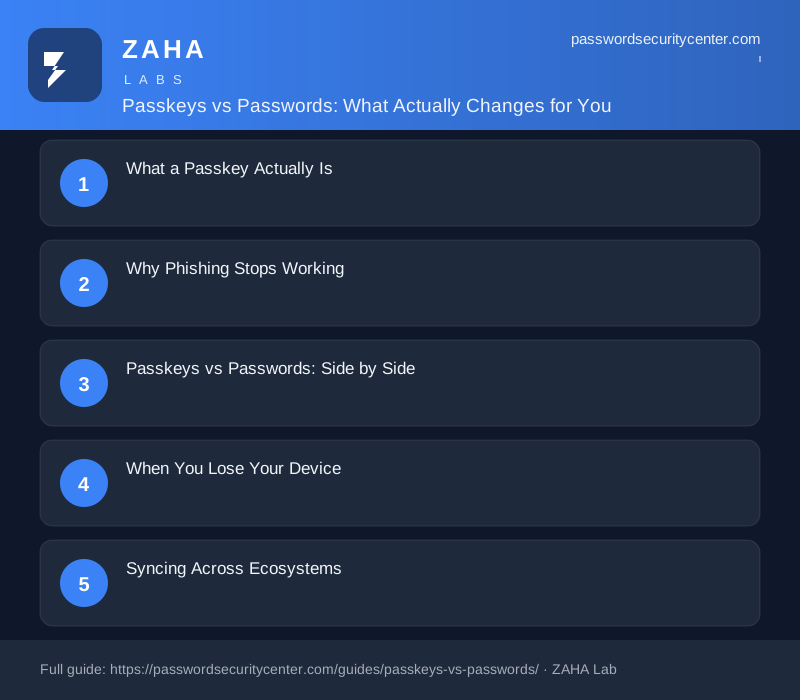
Passkeys replace your username and password with a cryptographic key pair; the private half stays on your device and never reaches any server. In the passkeys vs passwords comparison, the decisive advantage is phishing resistance: a passkey is cryptographically bound to the exact site where you created it, so a fake login page gets nothing. You can start switching your most important accounts today.
Phishing doesn't steal your password from a locked vault, it tricks you into handing it over voluntarily, and every password ever created is vulnerable to that. Stolen credentials are named as a leading cause of breaches in the Verizon Data Breach Investigations Report, and no password length rule or complexity requirement fixes that fundamental problem.
Passkeys vs passwords, in brief: A passkey is a cryptographic key pair, the private half stays on your device, the public half goes to the site. You cannot be phished out of it, because the passkey is bound to the exact site where you created it. Most services still require passwords today, but the accounts that matter most support passkeys right now.
What a Passkey Actually Is
A passkey is two mathematically linked keys: one public, one private. When you create a passkey on a service, your device generates both keys on the spot. The public key goes to that service's servers. The private key stays on your device, in secure hardware, typically your phone's secure enclave or a dedicated hardware security module, and it never leaves.
To sign in, the site sends your device a random challenge. Your device uses the private key to sign that challenge and sends back the signature. The server checks the signature against your stored public key. If it matches, you're in. You never type a secret, and there is nothing useful to steal from the server side because the public key alone cannot authenticate anyone.
The standard behind it
Passkeys are built on the FIDO2 / WebAuthn specification, published by the FIDO Alliance and the W3C. Every major platform, Apple, Google, Microsoft, implements the same standard. That common foundation means a passkey created on an iPhone can authenticate you in Chrome on Windows through a cross-device proximity flow, even though the platforms are different.
Why Phishing Stops Working
When you enter a password on a fake site, the attacker captures the exact string you typed. That string works anywhere the real site accepts it. Passkeys break this completely.
During registration, a passkey is cryptographically bound to the site's origin, its exact domain. When your browser or operating system tries to use the passkey, it verifies that the current site's origin matches the origin recorded at registration. A phishing site at g00gle.com is a different origin from google.com, so the passkey does not engage. Your device will not sign the challenge, and the attacker gets nothing to capture.
This also defeats credential stuffing, the technique where attackers spray stolen username/password pairs across hundreds of services, documented in detail by MITRE ATT&CK. A passkey is site-specific by design. Even if an attacker obtained your public key, they cannot reverse-engineer the private key or use the public key to authenticate anywhere.
Passkeys vs Passwords: Side by Side
| Property | Password | Passkey |
|---|---|---|
| What the server stores | Your hashed password | Your public key only |
| What your device stores | Nothing (or a vault entry) | Private key in secure hardware |
| Phishing resistance | None | Complete, origin-bound |
| Credential stuffing risk | High | None |
| Reuse risk | Common and dangerous | Not applicable, unique per site |
| Lost device recovery | Reset via email | Restore from encrypted sync backup |
| Ecosystem support | Universal | Major platforms and growing |
A passkey is only as safe as the account you use to sync or recover it. If your iCloud or Google account is protected by a weak password, an attacker who compromises that account could access your passkeys. Enable a strong, unique passphrase and a second factor on your sync account before you rely on passkeys.
When You Lose Your Device
This is the question most people reach for first. The short answer: you probably won't lose access, because passkeys sync.
Apple syncs passkeys through iCloud Keychain, encrypted end-to-end. Google syncs them through Google Password Manager, also end-to-end encrypted. If you lose your iPhone, you restore your passkeys to a new iPhone from your iCloud backup. The private keys remain encrypted throughout, Apple cannot read them, and neither can anyone who intercepts the backup.
If you have no sync backup path, most services that support passkeys also maintain a fallback, another passkey registered on a second device, or a traditional recovery method like email or SMS. You can also register a hardware security key (such as a YubiKey) as a passkey, giving you a physical backup that lives in a drawer and needs no battery.
The practical rule: register passkeys on at least two devices, or keep a hardware key as a fallback, before you remove the password from any account.
Syncing Across Ecosystems
Passkey sync works smoothly inside one ecosystem. Cross-ecosystem is more nuanced.
Apple
Passkeys created on an iPhone or Mac sync automatically to all your Apple devices via iCloud Keychain. They work in Safari and in third-party browsers. If you need to sign in on an Android phone or Windows PC, you use a cross-device QR code flow: your iPhone authenticates via Bluetooth proximity and passes the authorization to the other device without sending the private key over the network.
Google Password Manager syncs passkeys across Android devices and Chrome on any operating system. The same cross-device QR flow lets an Android phone authenticate on a Windows laptop or a Mac by being physically nearby. No private key crosses the wire.
Microsoft and Windows
Windows Hello stores passkeys in the device's TPM chip. On Windows 11 (build 23H2 onwards), passkeys are a native system feature, and the cross-device proximity flow works from Windows to a phone and vice versa.
Third-party password managers, 1Password, Bitwarden, Dashlane, now support passkeys in their vaults, letting you carry passkeys across all ecosystems in a single app. This is the cleanest cross-platform path today for anyone who already uses a password manager.
Why Passwords Are Not Going Away Yet
The honest picture: passkeys work well where they're supported. Many sites, internal systems, legacy applications, and government portals do not yet support WebAuthn. NIST SP 800-63B still dedicates extensive guidance to memorized secrets, the official term for passwords, because they remain the dominant authentication mechanism worldwide.
Even where passkeys are available, most services keep a password as a fallback during the transition. Your password hygiene still matters today: running your existing credentials through Have I Been Pwned to check for breached passwords is a worthwhile step alongside any passkey rollout.
Expect a mixed environment for several more years. Companies with large user bases move carefully, enterprise software has longer update cycles, and some regulatory frameworks still specify password requirements explicitly. Passkeys will spread steadily, but they will coexist with passwords well into the late 2020s in most sectors.
Your Migration Plan
Adopt passkeys on your highest-value accounts first, in this order:
- Your email account. Email is the master key to every other account's password reset. Gmail, Outlook, and Apple Mail all support passkeys. Add one today, then confirm it works from a second device before touching anything else.
- Your password manager. 1Password, Bitwarden, and Dashlane all support unlocking with a passkey on supported platforms. Protecting the vault protects everything inside it.
- Financial accounts. Banks and brokerages that support passkeys should come next. Open Security settings on each one and look for a 'Passkeys' or 'Sign in with device' option.
- High-value social and developer accounts. Google account, Apple ID, and GitHub all support passkeys under their security settings. Find the option under Security or Password settings.
- Register a second device or hardware key before you remove any password. If you only have one phone, a hardware security key registered as a backup passkey on critical accounts gives you a physical fallback.
- Keep your password manager and strong unique passwords for every service that doesn't support passkeys yet. The two systems coexist without friction, and this will be the expected state for the foreseeable future.
Once you've confirmed a passkey works from at least two devices or methods, you can remove the password from accounts that allow it. Start there, and expand your passkey coverage as more services add support.
Frequently asked questions
Can someone steal my passkey if they hack the website I use it on?
No. The server only stores your public key, which cannot be used to sign in without the private key that never left your device. A server breach exposes nothing an attacker can replay to authenticate as you.
What happens to my passkeys if I switch from iPhone to Android?
You will need to re-enroll passkeys on each site from your new Android device. Third-party managers such as 1Password or Bitwarden that store passkeys in their vault can bridge ecosystems, set one up before you switch phones to make the transition smoother.
Do I need a password manager to use passkeys?
No. Your phone's built-in system, iCloud Keychain on Apple, Google Password Manager on Android, handles passkeys automatically without any additional app. A third-party manager is useful only if you want to sync passkeys across different ecosystems.
Are passkeys more secure than an authenticator app?
They solve different problems. A time-based one-time code from an authenticator app can be captured by a phishing site in real time and replayed before it expires. A passkey is a primary credential that is phishing-resistant by design, the origin check makes real-time replay impossible regardless of attacker speed.
Can I use a passkey on a shared or work computer?
Yes, through the cross-device flow. You keep the passkey on your phone and scan a QR code shown on the shared machine. Your phone authenticates locally, your private key never touches the shared computer, and passes the authorization over a short-range Bluetooth channel.
Can I still use my password after I add a passkey?
Yes. Most services keep your password as a fallback during the transition period. You only lose the password option if you explicitly remove it, which guides recommend doing only after you have confirmed your passkey works reliably from multiple devices or backup methods.
Sources
- FIDO Alliance: passkeys
- Verizon Data Breach Investigations Report
- NIST SP 800-63B (Digital Identity Guidelines, authentication)
- MITRE ATT&CK: brute force / credential stuffing
Related reading
Two-Factor Authentication Setup: Right Order, Right Method
Set up two factor authentication correctly: secure email first, choose TOTP over SMS, store recovery codes safely, and follow the passkey upgrade path

What to Do After a Data Breach: A Timed Response Checklist
Know what to do after a data breach with this timed response guide, first 15 minutes, first day, and first week actions to stop the damage spreading.
Password Manager Buying Guide: What Actually Matters
Our password manager buying guide covers zero-knowledge encryption, passkey support, breach monitoring, and what to verify before trusting your vault.