Password strength
Passphrase vs Password: The Maths That Settles It
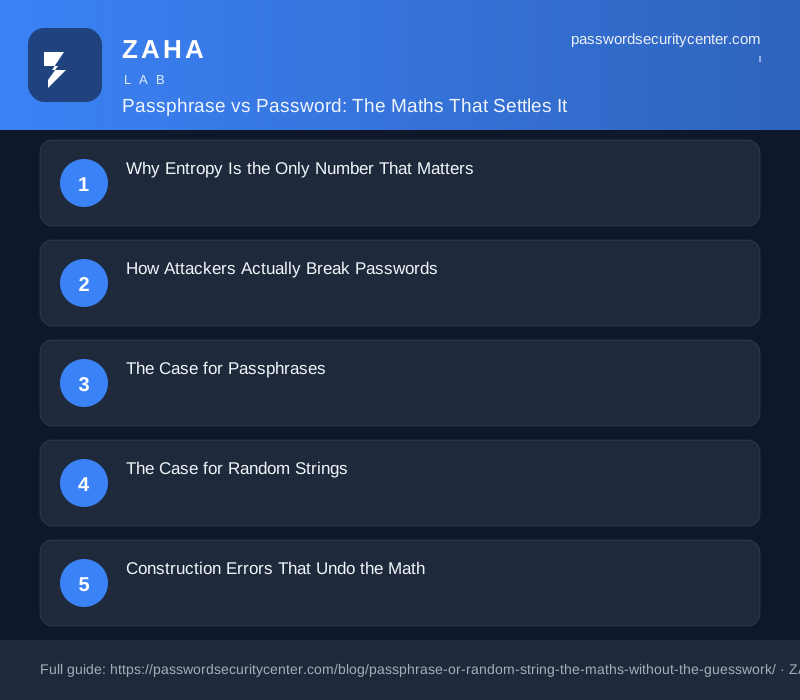
A 6-word Diceware passphrase and a 12-character random password are within two bits of each other in entropy. In the passphrase vs password comparison, the math almost ties. The right choice depends on whether you type the credential from memory: use passphrases for disk encryption and password manager logins, random strings for everything else.
A 4-word passphrase drawn from a 7,776-word list carries roughly the same entropy as a fully random 10-character password. In the passphrase vs password debate, both can be secure: use a passphrase for credentials you memorize, and a random string for everything your password manager stores. The two are not interchangeable.
Why Entropy Is the Only Number That Matters
Entropy, measured in bits, tells you how many guesses an attacker needs before they statistically expect to crack your credential. Each additional bit doubles the search space. At 40 bits, a trillion combinations. At 60 bits, over a quintillion. At 80 bits, no consumer hardware can work through the space in a human lifetime, and no GPU cluster makes it economically rational.
NIST SP 800-63B sets 112 bits as the bar for high-assurance systems. Security researchers widely treat 60 bits as the practical floor for personal accounts. Above that threshold, credential-specific brute force becomes economically irrational for attackers.
The confusion between passphrases and random strings usually comes from comparing them by character count alone. A 20-character passphrase made of four common English words is structurally different from a 20-character random alphanumeric string. Words carry statistical structure; a random string does not. That structure costs entropy, and ignoring it leads to overconfident credentials.
The Diceware Baseline
The EFF Diceware word list contains 7,776 entries. Each word chosen at random adds log₂(7,776), which equals about 12.9 bits. Four words: roughly 51 bits. Five: roughly 64 bits. Six: roughly 77 bits.
A random lowercase-only string gives about 4.7 bits per character. A 16-character lowercase string delivers about 75 bits. To match six Diceware words using a mixed-case alphanumeric string (62 options, about 5.95 bits per character), you need around 13 characters. Random strings pack more entropy per character, but passphrases can reach the same entropy with fewer characters to recall under pressure.
How Attackers Actually Break Passwords
Two attack methods dominate real-world breach analysis. Both have specific implications for the passphrase vs password decision.
Credential stuffing is the most common by volume. Attackers take username/password pairs from one breach and test them automatically against other services. MITRE ATT&CK documents this under T1110.003. A strong, unique credential defeats stuffing regardless of type. Uniqueness matters more here than whether the credential is a passphrase or a random string.
Offline dictionary attacks work differently. When attackers get a hashed password database, they test billions of guesses per second on GPU hardware. A passphrase holds up only if the words were chosen by a truly random process. A phrase built from personal meaning, such as "MyDogRoverBirthday1987", has far less entropy than it appears, because humans consistently choose common words, names, and dates. The gap between a personally meaningful phrase and a randomly generated one can be 40 bits of real entropy, even when they look similar in length.
"Correct-horse-battery-staple" became famous as an XKCD example and is now in every wordlist attackers run. Never use any passphrase you have seen published as an example. Build yours with actual random selection from a verified large word list.
Targeted guessing is the third threat. An attacker who knows your name, your pet's name, or your hometown can build a personalized wordlist in minutes. Tools exist that pull this data from social media before generating guesses. A passphrase drawn randomly from 7,776 words defeats this because the attacker has no useful prior information. A personally meaningful phrase does not.
The Case for Passphrases
For credentials you must type and remember, including a laptop login, a password manager master password, or a shared team account, passphrases have a concrete practical advantage over random strings.
A six-word Diceware passphrase produces roughly 77 bits of entropy, well above the cracking floor. Most people can memorize six short words after two or three repetitions. "tandem frigate wobble cinder puppy mosaic" is more mentally accessible than "pX7!mNqR#2vKjL9s". That gap matters because people who cannot remember their passwords write them down, reuse them, or pick something predictable. A credential that is easy to recall correctly is one that never ends up on a sticky note, and each of those avoidable behaviors is a worse vulnerability than any theoretical entropy gap between credential types.
The NCSC explicitly recommends three-random-word passwords as an improvement over short complex passwords, noting that length beats complexity for both usability and brute-force resistance. A six-word passphrase is longer and stronger still.
Passphrases also work better for voice input, for people with certain motor or visual impairments, and for any situation where a credential must be dictated verbally. Those contexts are more common than most security guides acknowledge.
When Word List Size Determines Strength
Not all passphrase generators use the same list. The EFF long list has 7,776 words. Some apps use lists of 1,000 to 2,000. A 1,000-word list gives only 9.97 bits per word, so a four-word passphrase from it delivers roughly 40 bits, weaker than a random 8-character lowercase password.
Before trusting any passphrase generator, check the documented word list size. If the documentation does not state it, treat the tool as unsuitable for security purposes.
The Case for Random Strings
For credentials stored in a password manager, you never type or remember them. A 20-character random string using the full 95-character printable ASCII set delivers about 131 bits of entropy, exceeding NIST's 112-bit high-assurance threshold. The math strongly favors random strings for stored credentials, and they are also shorter than a six-word passphrase by several characters.
Password managers remove the memorability burden that makes passphrases attractive. If you use one, defaulting to 18-to-20-character random strings is rational. Most password manager generators already default to that range.
Random strings sidestep word-pattern attacks. If a new technique specifically targets multi-word phrase structures, random strings are unaffected by design. They also work regardless of language or keyboard layout. A passphrase built from English words may cause friction on a non-English keyboard or when logging in while traveling. A random string from your password manager sidesteps that entirely.
How Character Set Affects Entropy
Length alone does not determine strength. Adding one symbol to a random 12-character alphabetic string adds about 5 bits. Switching from lowercase only (26 characters) to the full printable ASCII set (95 characters) on a 12-character string raises entropy from about 56 bits to about 79 bits. Widening the character set is the fastest way to strengthen a short random password.
| Credential type | Recommended approach | Approximate length | Approximate entropy |
|---|---|---|---|
| Password manager master password | 6-word Diceware passphrase | ~30 chars | ~77 bits |
| Password manager stored entry | Random string, full ASCII | 18-20 chars | ~118-131 bits |
| Device login (typed daily) | 5-word Diceware passphrase | ~24 chars | ~64 bits |
| Shared team credential | 5-word Diceware passphrase | ~24 chars | ~64 bits |
| Recovery code / backup key | Random string, full ASCII | 20 chars | ~131 bits |
Construction Errors That Undo the Math
Whether you choose a passphrase or a random string, a small set of construction mistakes will destroy the entropy advantage before any attacker arrives.
For passphrases, randomness must come from the generation process, not your intuition. Rolling physical dice or using a cryptographically secure random number generator is the requirement; picking words that come to mind is not. Human word selection is reliably biased toward common, short, and emotionally meaningful words even when people believe they are being random. That bias is measurable, and attackers model it in their wordlists.
For random strings, site-imposed length caps are a serious problem. Password policies that cap maximum length at 8 or 10 characters force weak credentials regardless of character set. NIST SP 800-63B explicitly requires that verifiers allow passwords of at least 64 characters. If a site caps you at 12 characters, achievable entropy tops out at about 79 bits and you cannot improve it further.
Both types share one absolute requirement: uniqueness across every account. A high-entropy credential reused across three services is three times more likely to appear in a breach database that attackers query during stuffing runs. Have I Been Pwned's Pwned Passwords held over 700 million compromised passwords as of 2024. A unique credential per account means a breach on one site leaves every other account unaffected. Reuse removes that containment entirely.
Substitutions Do Almost Nothing
Replacing letters with numbers or symbols, such as "p@ssphrase" or "fr1g@te", adds almost no entropy. Those substitutions appear at the top of every ruleset in standard cracking tools. A three-word passphrase with letter substitutions throughout has roughly the entropy of a two-word passphrase, because the patterns are fully predictable. Add words or append genuinely random characters instead.
Passphrase vs Password: Making the Right Call
The honest answer is that both types are correct in the right context. The real risk is using either type in the wrong place.
Use a passphrase, five or six words drawn from a verified large word list by a random process, for your password manager master password, your device login, and any credential you type regularly from memory. These are the places where memorability translates into genuine security improvement. The realistic alternative is a weaker or reused credential.
Use a random string, 18 or more characters generated by your password manager, for every other account. Each website, app, API key, and service gets its own unique credential. Your password manager handles recall. Your only task is protecting your master credential, which is the passphrase job.
The Verizon Data Breach Investigations Report has consistently found that stolen or weak credentials account for the majority of confirmed initial access in breaches. The passphrase vs random string format choice matters far less than two foundational decisions: using a dedicated password manager at all, and enabling two-factor authentication on every account that supports it. CISA's guidance on strong passwords makes exactly the same point. Both organizations treat password management and second-factor authentication as non-negotiable baselines, with credential format as a secondary optimization.
What to Do Today
- Open your password manager and set the generator to produce 18-to-20-character random passwords with symbols enabled. Apply those settings to all stored credentials going forward.
- Evaluate your master password. If it is fewer than five Diceware words, or any personal phrase you composed yourself, change it today. Use physical dice or a dedicated Diceware generator to pick the words.
- Audit your highest-value accounts: primary email, banking, any account used as an SSO login for other services. Regenerate any password under 14 characters with the settings above.
- Enable two-factor authentication for every account that holds financial or identity data. A strong credential plus a second factor defeats credential stuffing even after a direct breach.
- Check your primary email address at Have I Been Pwned's Pwned Passwords lookup. Any compromised credential needs an immediate replacement with a new unique one.
Frequently asked questions
Is a passphrase stronger than a random password?
Not inherently. A six-word Diceware passphrase gives about 77 bits of entropy, comparable to a 13-character random mixed-case alphanumeric string. Strength depends on how each type is built, not which type it is.
How many words does a passphrase need to be secure?
At least five words from a 7,776-word list, giving roughly 64 bits of entropy. Six words, about 77 bits, is better for high-value accounts like a password manager master password. Fewer than four words from any standard list is too weak for critical credentials.
Can I modify a Diceware passphrase by adding symbols?
Appending random characters at the end raises entropy. Substituting letters inside the words, such as p@ssword or fr1gate, adds almost nothing because those patterns are at the top of every cracking ruleset. Add words or append characters instead.
Should I use a passphrase or random string for my email account?
If your password manager stores it and you have two-factor authentication enabled, use an 18-to-20-character random string. If you type your email password from memory regularly, a six-word Diceware passphrase is more practical and still strong.
Sources
- NIST SP 800-63B (Digital Identity Guidelines, authentication)
- NCSC password guidance
- MITRE ATT&CK: brute force / credential stuffing
Related reading

Password Policy Best Practices That Staff Will Actually Follow
The proven password policy best practices: mandate length, ban reuse, deploy a manager with SSO, and enforce phishing-resistant 2FA for admins.
Save Passwords in Browser: Safe or Risky?
Saving passwords in your browser is convenient—but is it actually safe? We break down how browser password storage works and where it fails.
Password Expiration Policy: Why 90 Days Is Wrong
NIST retired the 90-day password expiration policy in 2017. Here is what current guidance recommends instead, and the four controls that actually work