Policy
Password Expiration Policy: Why 90 Days Is Wrong
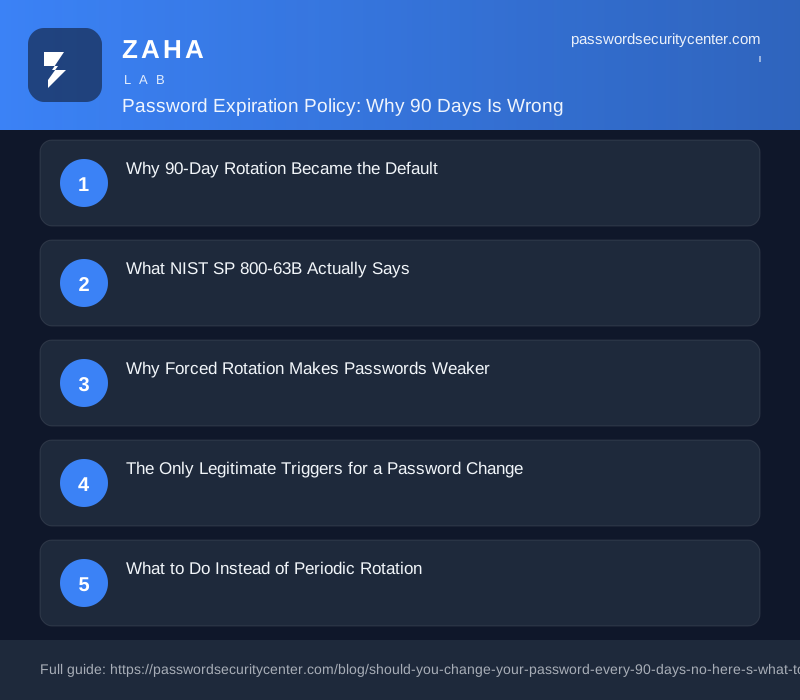
A fixed password expiration policy that rotates credentials on a calendar schedule is officially discouraged by NIST SP 800-63B, the NCSC, and CISA. The only valid reason to change a password is evidence of compromise. Here is what that means in practice and what to do instead.

A password expiration policy that forces a change every 90 days does not improve security. NIST removed the recommendation in 2017. Most organizations still have not updated their policies.
Only change a password when there is evidence it was compromised. That is what NIST SP 800-63B says, and it is what the NCSC and CISA both echo. Here is the research behind that shift and what to do instead.
Why 90-Day Rotation Became the Default
The 90-day rule originated before real-time breach monitoring existed. The logic was sound for its era: if an attacker stole your password, rotating it every quarter limited their window. In the 1990s, stolen credentials often sat on a single machine for weeks before being used.
That threat model is gone. A major breach now reaches dark-web markets within hours. Automated tools test millions of username-password combinations per minute against live services. A 90-day window does nothing against someone who exploits a stolen credential the same day it surfaces in a breach dump.
The Corporate Adoption Problem
The 90-day standard was codified in older NIST publications and absorbed into IT security frameworks through the late 1990s and 2000s. It felt rigorous. Auditors could verify it with a single configuration check. The problem is that security theater produces passing audit scores too.
What NIST SP 800-63B Actually Says
Section 5.1.1.2 of NIST SP 800-63B is direct: 'Verifiers SHOULD NOT require memorized secret authenticators to be changed arbitrarily (e.g., periodically).' In NIST terminology, 'SHOULD NOT' carries near-mandatory weight, not advisory weight.
The same section gives the one valid trigger: change a password 'when there is evidence of compromise of the authenticator.' No evidence, no reset.
The UK's NCSC reached the same conclusion independently. When users face mandatory rotation, they use predictable patterns: appending numbers, cycling through seasons, making minimal character substitutions. The policy intends to reduce risk. It reliably produces weaker passwords instead. CISA's updated guidance on strong passwords omits periodic rotation entirely, focusing on length, uniqueness, and multi-factor authentication.
NIST SP 800-63B is mandatory for US federal agencies and widely referenced by regulated industries including healthcare and financial services. If your organization is audited against a NIST baseline, a 90-day rotation policy may now put you out of alignment, not in compliance with it.
Why Forced Rotation Makes Passwords Weaker
Mandatory expiration has a predictable outcome: people optimize for the constraint rather than for security. When a system demands a new password every 90 days, most users produce minimal variations on the previous one.
'Password1' becomes 'Password2'. 'Spring2025' becomes 'Summer2025'. Security researchers call these transformation patterns, and attackers build them into cracking dictionaries before running a single attempt. The Verizon Data Breach Investigations Report consistently identifies weak or reused credentials as the leading factor in hacking-related breaches, year after year.
There is also a direct support cost. Account lockouts from forgotten post-reset passwords are among the most frequent IT helpdesk tickets in large organizations. Industry estimates for enterprise environments put password-related support costs at $70-100 per incident when staff time is included. Multiply that by thousands of employees and four mandatory resets per year.
The Reuse Problem Rotation Cannot Solve
Employees facing reset fatigue across six or more corporate systems often build a small pool of rotating personal passwords and reuse them across work and personal accounts. Reuse is exactly what credential stuffing exploits. When a third-party site is breached and that personal password surfaces in a dataset, every account sharing it is at risk, regardless of when it last rotated at work.
The Only Legitimate Triggers for a Password Change
The guidance from NIST, NCSC, and CISA converges on one principle: change passwords in response to events, not calendars. Here is how the common scenarios map out.
| Trigger | Change required? | Notes |
|---|---|---|
| Breach notification from a service you use | Yes | That password is now in attacker databases |
| Password appears in Have I Been Pwned | Yes | Already circulating in credential markets |
| You clicked a phishing link and entered credentials | Yes | Treat the account as fully compromised |
| A shared account holder leaves the organization | Yes | Rotate any credential that person knew |
| Device stolen or lost with saved passwords | Yes | Saved sessions and tokens may be copied |
| 90-day calendar reminder, no other trigger | No | NIST SP 800-63B does not support this |
| Routine quarterly audit, no incident | No | No security gain; drives weaker passwords |
Breach Monitoring Makes Detection Automatic
Have I Been Pwned's Pwned Passwords database holds over 850 million compromised password hashes, updated continuously from real breach datasets. Many password managers query it when you save or update a credential. An alert from that service is a legitimate event-driven trigger. A calendar reminder is not.
What to Do Instead of Periodic Rotation
Dropping forced rotation is not doing nothing. It means replacing one weak control with four stronger ones.
Use long, unique passwords. A 16-character random password is practically immune to online brute-force attacks and takes an impractical amount of compute time to crack offline. NIST SP 800-63B sets the minimum at 8 characters but supports up to 64 and recommends against any length cap below that. Length matters more than character-mix rules.
Use a password manager. Unique passwords for every account become manageable only with a dedicated tool. You remember one strong master password; the manager generates, stores, and autofills the rest. Most also flag reused or breached passwords automatically.
Add multi-factor authentication. MFA means a stolen password alone cannot access an account. An authenticator app using TOTP, as defined in RFC 6238, is the practical baseline and takes about three minutes to configure. Hardware security keys using FIDO2 are stronger still, requiring physical possession to authenticate.
Monitor for real breaches. Subscribe to Have I Been Pwned's free notification service. When a breach hits a service you use, you hear about it and can change that specific password the same day.
Your primary email account is the recovery address for almost every other account you own. Enabling MFA there, using Google's 2-Step Verification or an equivalent, stops the most common account-takeover chain before it starts.
How to Update Your Organization's Policy
For IT administrators and small business owners, the shift from calendar-based to event-driven resets requires three concrete changes.
Remove the expiration timer. In Active Directory, Azure AD, or your identity provider, turn off periodic password expiration. Microsoft removed 90-day rotation from its Windows security baseline in 2019, citing the same NIST rationale.
Define your event-driven triggers. Write down what constitutes a mandatory reset: confirmed breach, phishing click, device loss, staff departure from a shared account. A written list makes the policy auditable and consistent.
Roll out MFA before dropping rotation. Periodic rotation is a weak control, but it is some control. Deploy authenticator apps or passkeys first, then remove rotation as each system is covered.
Once the change is in place, communicate the reason to staff. 'You no longer need to change your password every 90 days' sounds like relaxed security. The actual message is the opposite: you are replacing a policy that reliably produced weaker passwords with one that responds to real threats.
Passkeys as the Long-Term Answer
A passkey (FIDO2 credential) is a cryptographic key pair tied to a specific device and site. The private key never leaves your device; authentication happens through a local biometric or PIN. Nothing is sent to a server that can be leaked, nothing can be credential-stuffed, and nothing needs rotating. Google, Apple, and Microsoft all support passkeys. The FIDO Alliance's passkey documentation is a practical starting point for deployment planning.
What to Do Now
- Check your current exposure. Go to Have I Been Pwned and search your email addresses. Change any password that appears in the breach results.
- Enable MFA on your most critical accounts. Start with email and any work systems. Google's 2-Step Verification takes under five minutes.
- Install a password manager. Switch to unique 16-character passwords as you log into accounts over the coming weeks.
- Update your organization's expiration policy. Read NIST SP 800-63B Section 5.1.1.2 and rewrite your policy to event-driven triggers if you manage IT.
- Set a breach alert. Have I Been Pwned's free notification service sends an email when a breach involves an address you register.
The 90-day password expiration policy had a logical origin. The research that followed showed it fails in practice. Change passwords when something happens. Not when a calendar tells you to.
Frequently asked questions
Is a 90-day password expiration policy ever the right call?
Only as a stopgap when MFA is not yet deployed. Rotation is a weak substitute for multi-factor authentication, not a permanent strategy. Replace it as soon as MFA rolls out.
Which events should trigger an immediate password change?
A breach notification for a service you use, a phishing click where you entered credentials, a device stolen or lost with saved passwords, or a shared account where someone has left the organization.
If I drop the 90-day policy, do I need to change all my passwords now?
Only the ones that have actually been exposed. Check your addresses on Have I Been Pwned, change any password flagged in the results, then focus on getting unique passwords and MFA on your most important accounts.
What is a passkey and why does it remove the rotation problem entirely?
A passkey is a cryptographic key pair where the private key never leaves your device. Because nothing is shared with the server, there is nothing to steal in a breach and nothing to rotate. Authentication happens through a local biometric or PIN.
Sources
- NIST SP 800-63B (Digital Identity Guidelines, authentication)
- NCSC password guidance
- Have I Been Pwned: Pwned Passwords
Related reading

What to Do After a Data Breach: A Timed Response Checklist
Know what to do after a data breach with this timed response guide — first 15 minutes, first day, and first week actions to stop the damage spreading.
Password Policy Best Practices That Staff Will Actually Follow
The proven password policy best practices: mandate length, ban reuse, deploy a manager with SSO, and enforce phishing-resistant 2FA for admins.
Credential Stuffing: Why Password Reuse Is the Whole Attack
Credential stuffing uses breached passwords from one site to silently break into others. Learn exactly how the attack works and the concrete steps to